
Why build this n8n → Stripe → Salesforce NPSP flow?
While volunteering as a tech consultant with Borneo Orangutan Survival Foundation UK, they needed help automating integrating Stripe to Salesforce NPSP.
They use Stripe for recurring donations and had legacy Direct Debit subscriptions imported from an older provider, Access Paysuite. This process needed to be automated.
The problem: Monthly manual imports 🤦
Here's what they were doing before this n8n flow existed:
Once a month, Melissa would export CSVs, manually match Stripe / Access Paysuite / Recurring Donations / Opportunities, and then import everything into Salesforce.
This meant:
Fundraising dashboards were always outdated mid-month and the process was time-consuming and error-prone.
Solution: I built two main n8n automation flows:
- Stripe Subscription → Salesforce Recurring Donation (Update/Create)
- Stripe Recurring-only Payment → Salesforce Opportunity (Update)
…and a couple of subflows to match Contacts and Recurring Donations without duplicating nodes.
Note Regarding Access_Paysuite_URN
⚠️ This specific workflow was built for BOS-UK with legacy Direct Debits that have an Access_Paysuite_URN stored as a custom field on the Salesforce Recurring Donation and Stripe's Subscription metadata. That URN is used as a key part of the matching logic.
Most likely, your charity does not have this use-case. So you'll need to update some of the n8n nodes to match your use-case and remove the URN dependency. Or contact me if you need help updating the workflow.
The n8n Workflow: Stripe → Salesforce NPSP Integration (High-level overview)
This automation keeps Stripe and Salesforce NPSP in sync for:
- Contacts (people)
- Recurring Donations (
npe03__Recurring_Donation__c) - Opportunities (individual payments)
It listens to Stripe webhooks:
customer.subscription.createdcustomer.subscription.deletedinvoice.payment_succeededcharge.refunded
…and then:
- Makes sure there is a single, clean Contact in Salesforce with up-to-date basic fields, matched on email address.
- Creates or updates Recurring Donations in NPSP from Stripe subscriptions - but only if they can be tied back to an
Access_Paysuite_URN__cor existing Stripe subscription ID. - Finds the correct Opportunity for each recurring payment and updates it with Amount, Fees, Net donation, Refunds, Stripe metadata.
Flow A: When a Stripe subscription is created or updated
This flow is what keeps Stripe subscriptions tied neatly to Salesforce NPSP Recurring Donations and Contacts, while respecting legacy Access Paysuite URNs so we don't accidentally generate duplicate Recurring Donations.
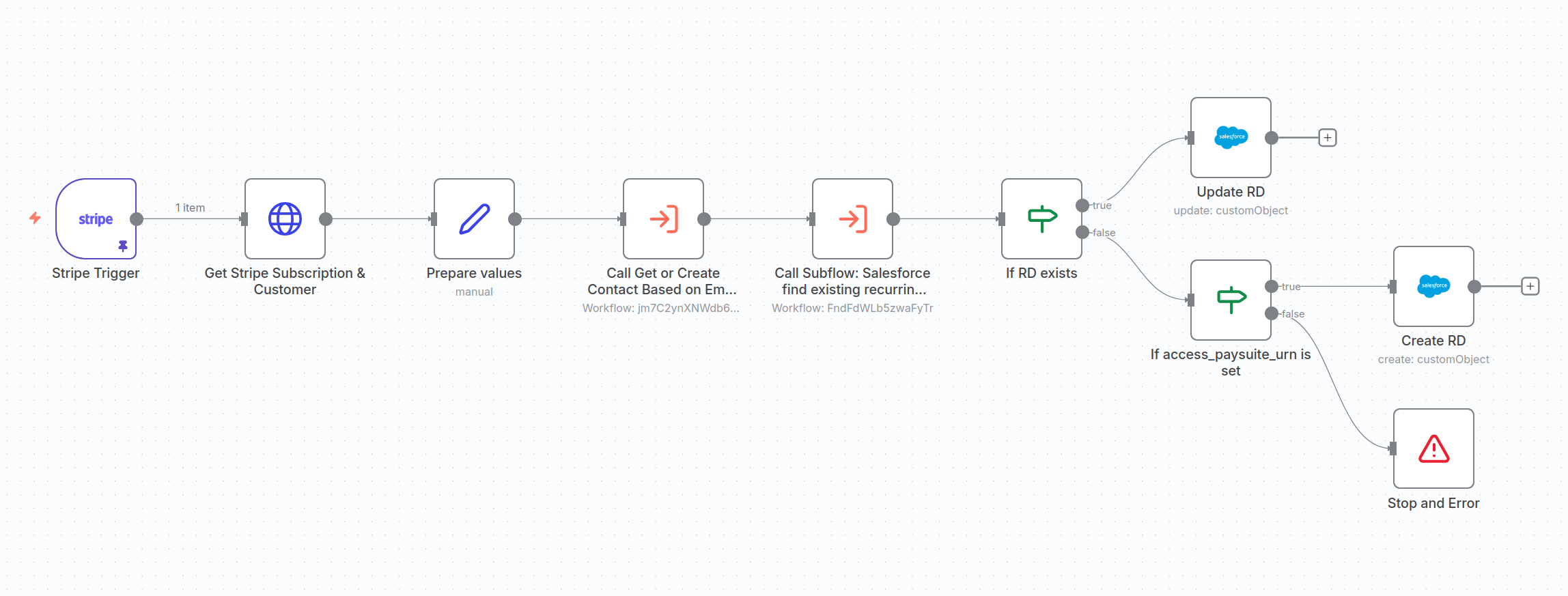
A1. Stripe sends a subscription event → n8n fetches the full details
When Stripe fires customer.subscription.created or customer.subscription.deleted, n8n:
- Pulls the full subscription from Stripe
- Expands the latest invoice, charge, customer, payment method, and mandate
This gives the flow all the details it needs to decide how to update Salesforce.
A2. Prepare Salesforce-ready field values
Now we need to prepare the values so they are Salesforce compatible. That's what the Prepare values node does.
It outputs:
- amount: donation amount in major units
- currency: uppercase ISO
- day_of_month: next billing date from Stripe
- npsp_status: mapped from Stripe's subscription status
- start_date / end_date: ISO dates
- first_name, last_name: parsed from Stripe's customer name
- payment_method: SF compatible labels (“Credit / Debit Card”, “Direct Debit”, etc.)
These fields are reused throughout the workflow.
A3. Get or create the Contact in Salesforce
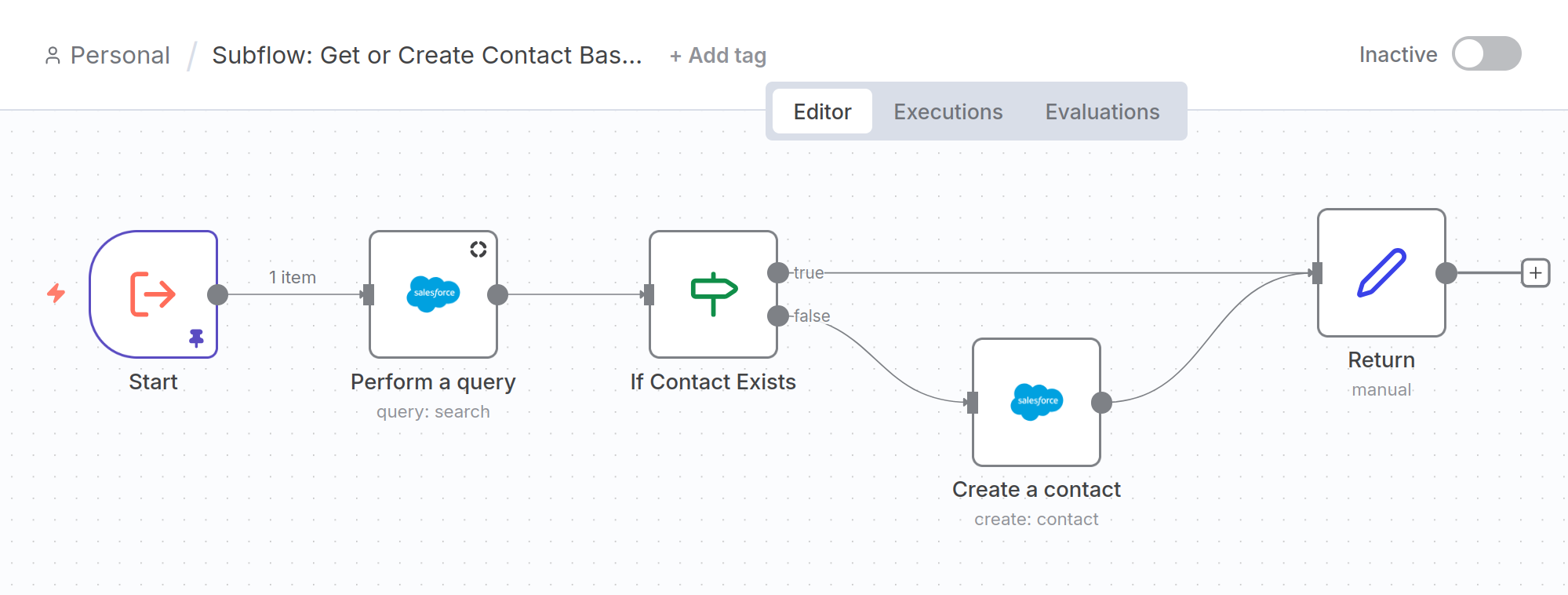
Next, the flow calls a subflow that:
- Looks up a Contact by Email or Alternate Email
- Updates it if it already exists
- Creates a brand new Contact if not
- Returns the
contact_idfor us to use downstream
This ensures every subscription is tied to a real, owned Salesforce Contact.
A4. Find the matching Recurring Donation
This is the most important step in the entire flow.
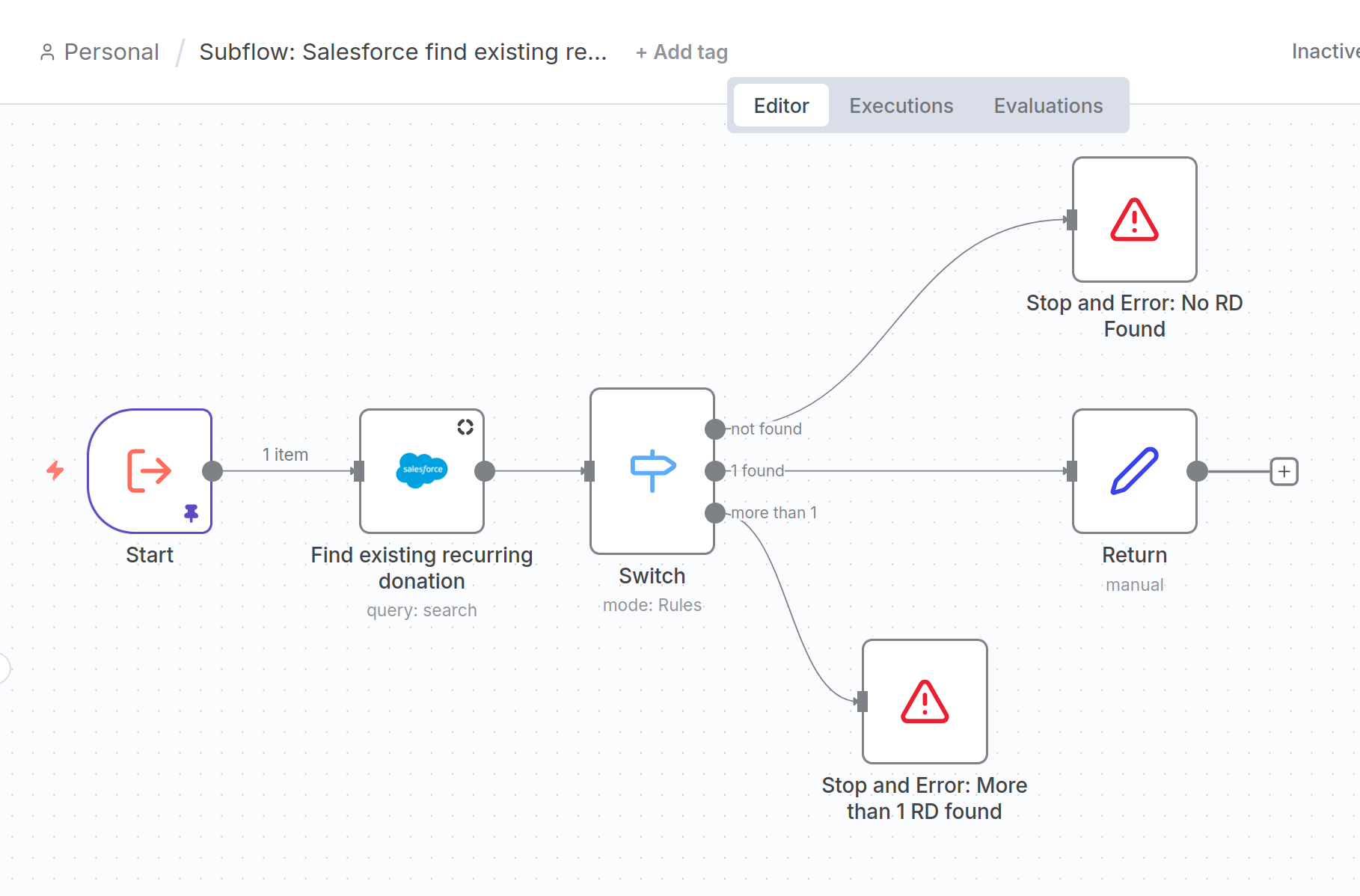
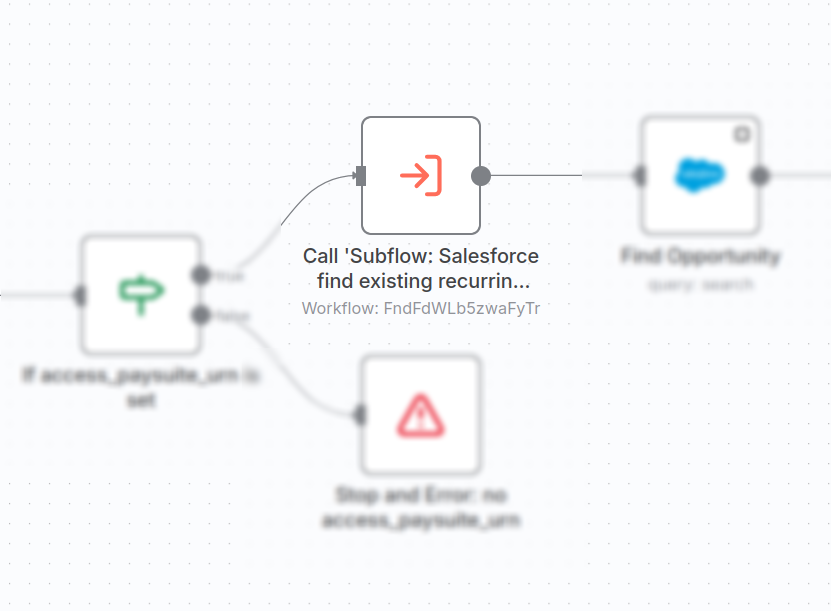
We call the "Salesforce find existing recurring donation" subflow and pass in:
access_paysuite_urnstripe_subscription_idstripe_customer_idamountcurrency_iso_code
The subflow runs a Salesforce search like this:
SELECT Id, Stripe_Subscription_ID__c, Access_Paysuite_URN__c,
       npe03__Amount__c, Name, npe03__Contact__c
FROM npe03__Recurring_Donation__c
WHERE
  Stripe_Customer_Ref__c = :stripe_customer_id
  AND Stripe_Customer_Ref__c NOT IN ('', NULL)
  AND npe03__Amount__c = :amount
  AND CurrencyIsoCode = :currency_iso_code
  AND (
    (Access_Paysuite_URN__c = :access_paysuite_urn AND Access_Paysuite_URN__c NOT IN ('', NULL))
    OR
    (Stripe_Subscription_ID__c = :stripe_subscription_id AND Stripe_Subscription_ID__c NOT IN ('', NULL))
  )
LIMIT 5
And then:
- If 0 found → stops with: “No Recurring Donation found!”.
⚠️ Note: If you're adapting this to also create new Recurring Donation for new Stripe Subscriptions, this is a case-specific precaution, and you'll need to modify the subflow by simply replacing the error with a "Return" node. - If >1 found → stops with: “More than 1 Recurring Donation found!”. Something is off, this should never happen.
- If exactly 1 → returns the Recurring Donation record
A5. Decide whether to update or create a Recurring Donation
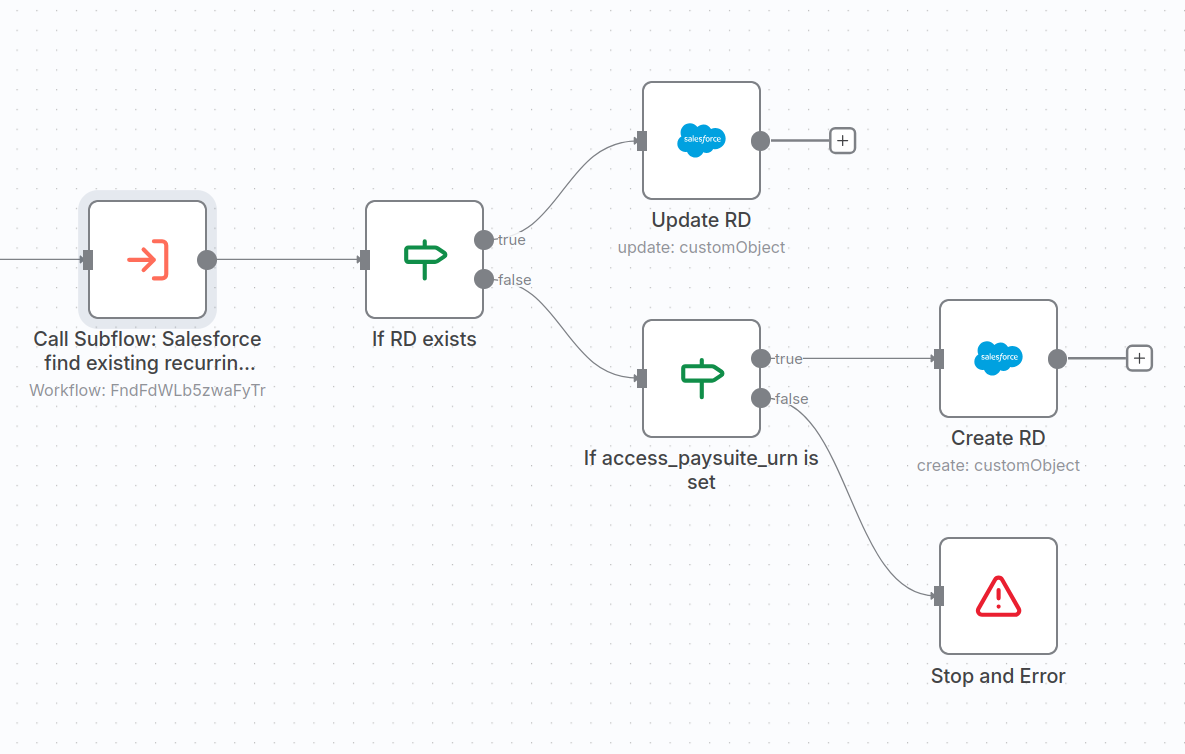
The main flow now checks:
- If a Recurring Donation was found → update it
- If not found:
- Check if there is an Access Paysuite URN
- If yes → create a new Recurring Donation
- If no → stop with error: “Subscription with no Access Paysuite URN!”
⚠️ Note: this is case-specific to BOS-UK's use-case, you'll want to remove this logic if adapting this flow to all Stripe subscriptions.
- Check if there is an Access Paysuite URN
A6. Updating an existing Recurring Donation
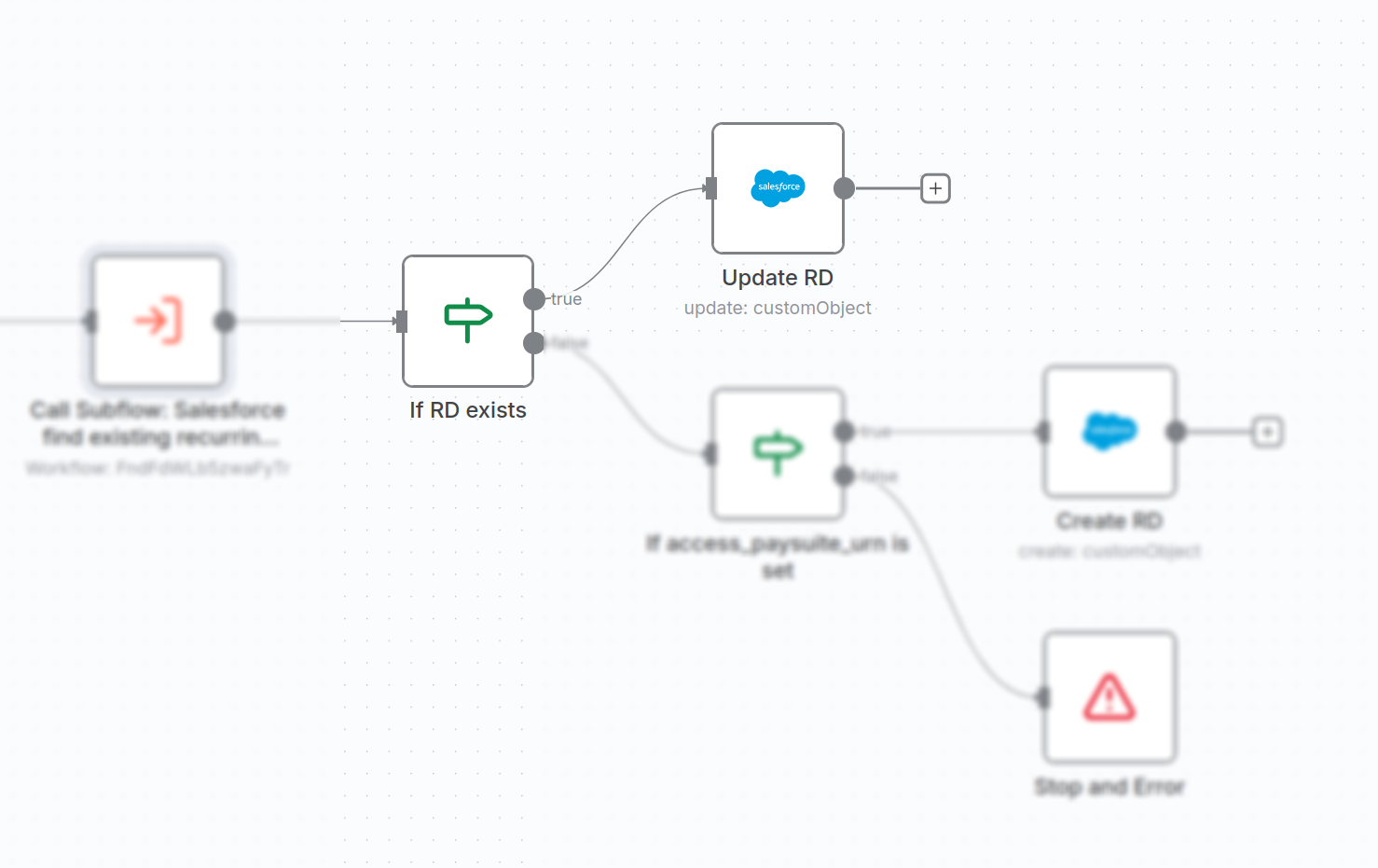
When a Recurring Donation is found, we update it with:
- New amount, currency and status
- Billing day + frequency
- Start and end dates
- Payment method
- The Stripe identifiers (subscription + customer + mandate if BACS)
- Integration flags (
Interface_Platform__c = "Stripe", etc.)
A7. Creating a new Recurring Donation (only with a valid URN)
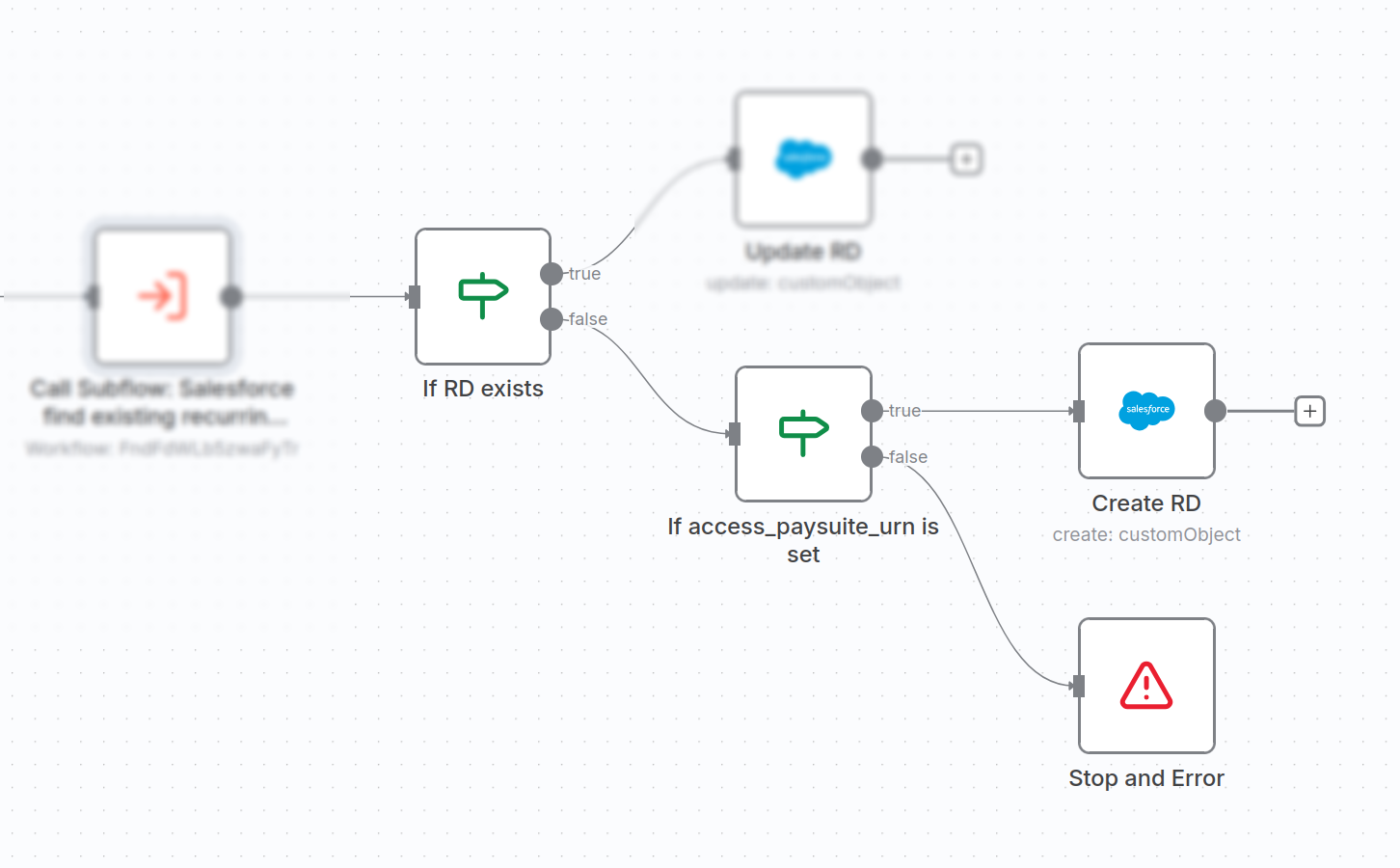
If no Recurring Donation is found but we have a valid access_paysuite_urn, we create a new Recurring Donation with:
- Contact link
- Amount, currency, start/end dates
- Frequency settings
- Access Paysuite URN (to preserve the audit trail)
- Stripe subscription + customer IDs
- Mandate details for Direct Debit
- Statement descriptor and naming
- Integration flags
Flow B: When a recurring Stripe payment succeeds or is refunded
This second flow handles each subscription payment, updating the correct Opportunity in Salesforce with:
- Amount
- Fees
- Net donation
- Stage (Closed Won / Closed Lost)
- Refunds
- Invoice + charge IDs
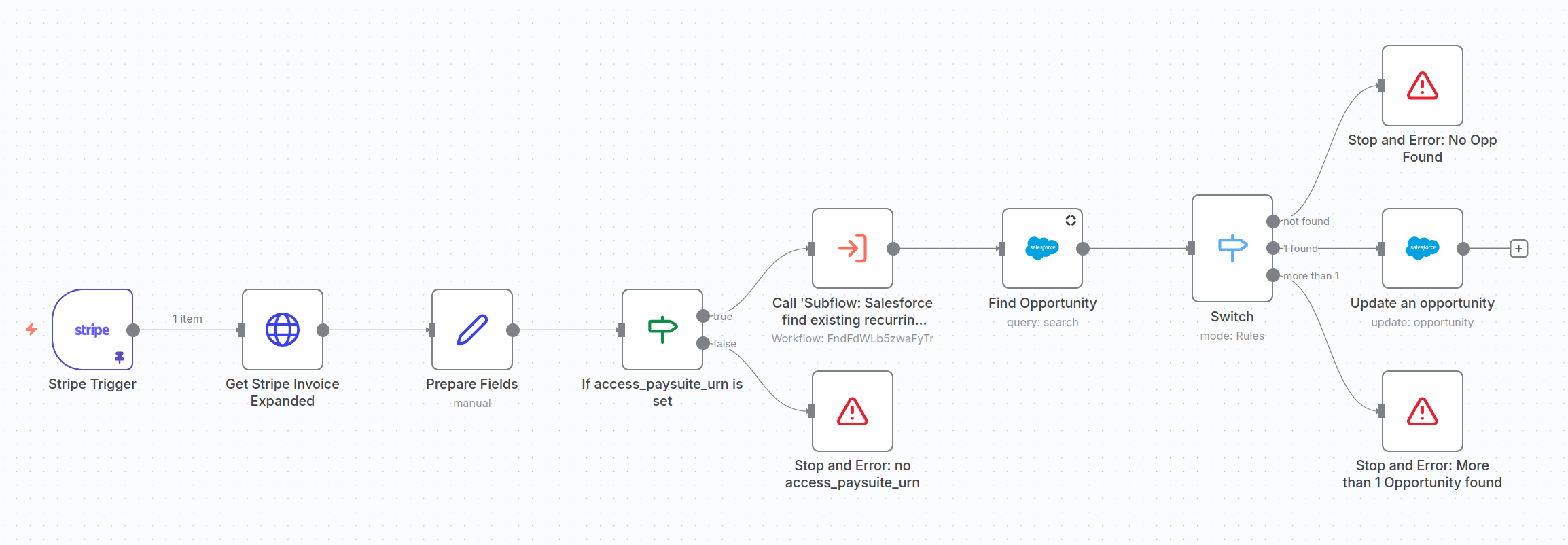
⚠️ Just like Flow A, this only runs for Access Paysuite migrated subscriptions. So, if you're adapting to all payments, you'll need to remove URN checks.
B1. Fetch the fully expanded Stripe invoice
For every invoice.payment_succeeded or charge.refunded event, the flow expands:
- The subscription
- The customer
- The payment intent
- The balance transaction ← this gives us the real Stripe fees & net amounts
- The charge
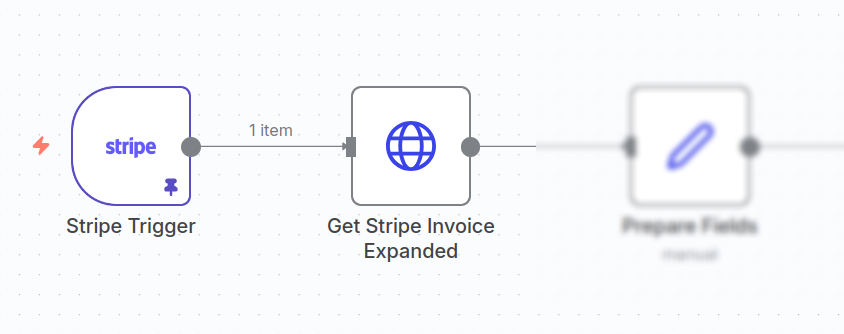
B2. Prepare payment-level fields
The flow prepares:
amount_in_currencyprocessing_feerefund_amountnet_amountclosed_at- A stage mapping:
- Successful payment → Closed Won
- Full refund → Closed Lost
- Partial refund → Closed Won
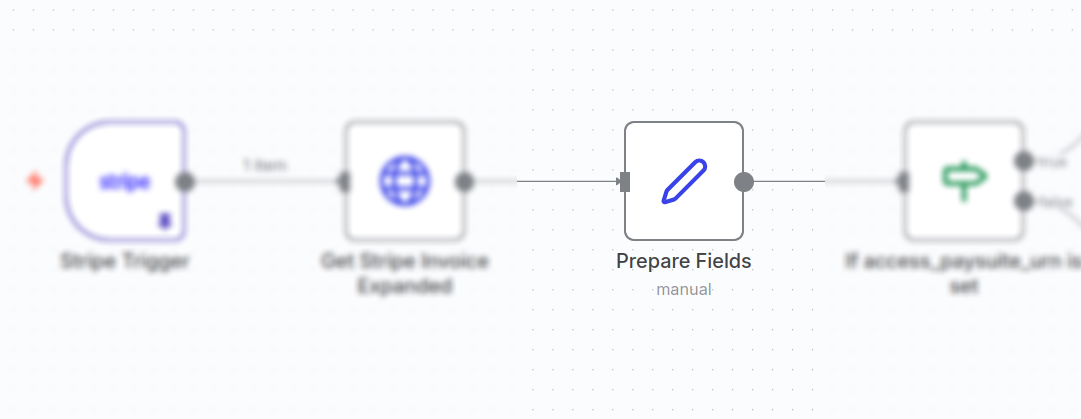
B3. Confirm this payment belongs to a legacy Access Paysuite subscription
If subscription.metadata.access_paysuite_urn is empty, the flow stops immediately.
This prevents the flow from processing unrelated Stripe payments.
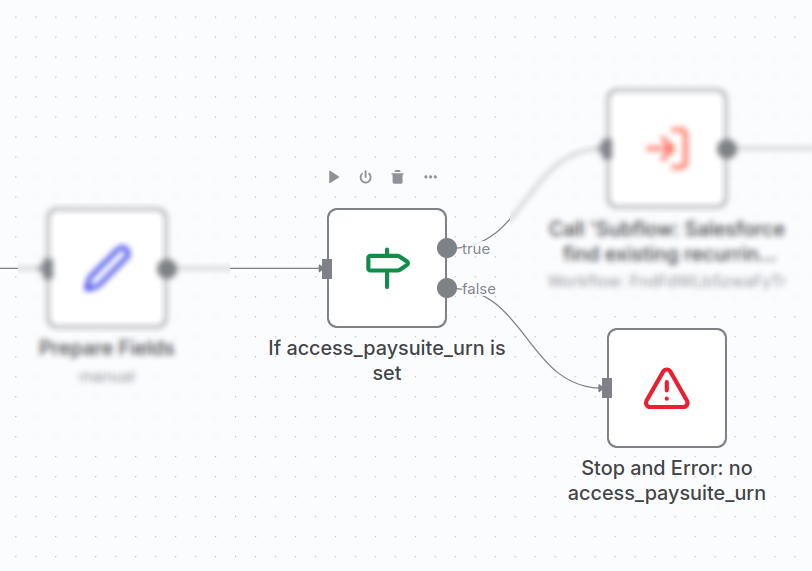
B4. Find the matching Recurring Donation
Same subflow used in A4; ensures the payment is tied to the correct Recurring Donation.
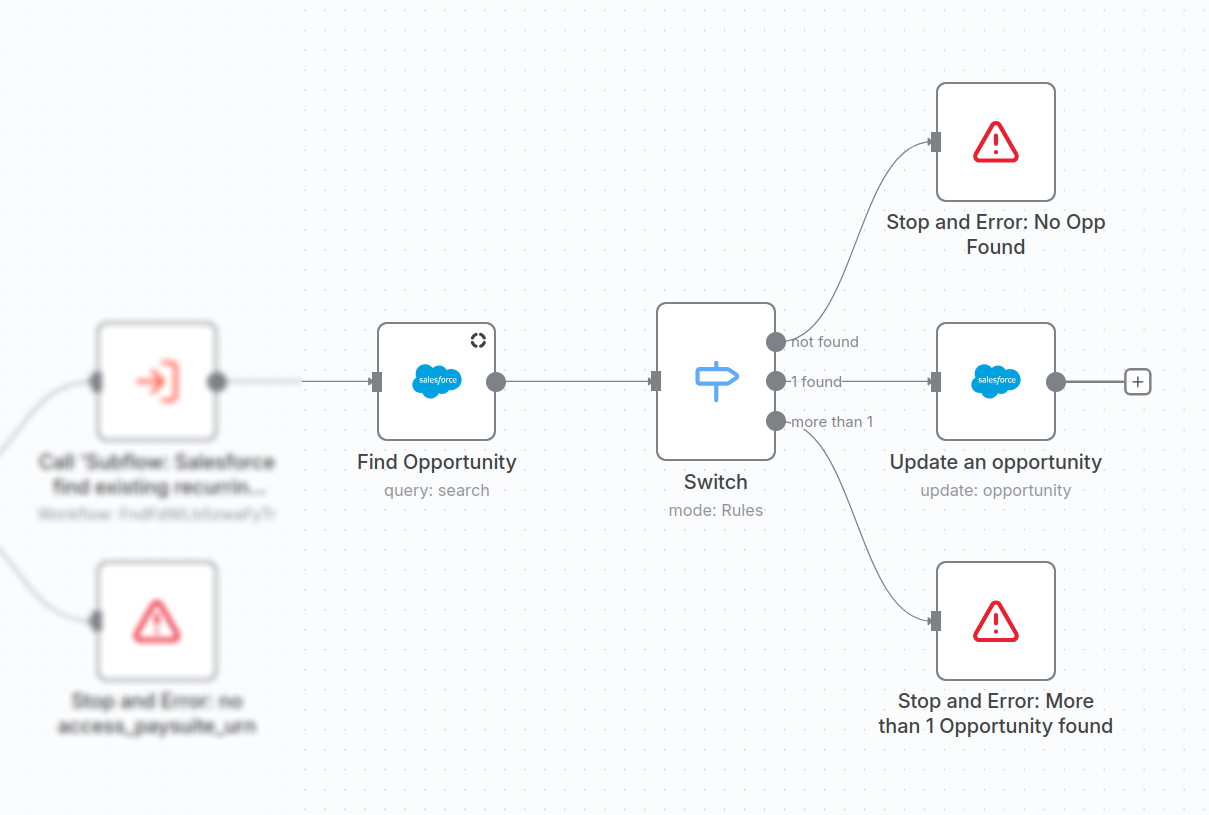
B5. Find the correct Opportunity
The node executes a date-windowed SOQL query to match only the correct Opportunity record from Salesforce:
SELECT Id, ContactId, npe03__Recurring_Donation__c,
       Amount, CloseDate, StageName, Stripe_Charge_ID__c
FROM Opportunity
WHERE
  (npe03__Recurring_Donation__c = :recurring_donation_id
   AND npe03__Recurring_Donation__c NOT IN ('', NULL))
  AND (Amount = :recurring_donation_amount)
  AND (CloseDate >= :created_at_minus_3_days
       AND CloseDate <= :created_at_plus_7_days)
LIMIT 5
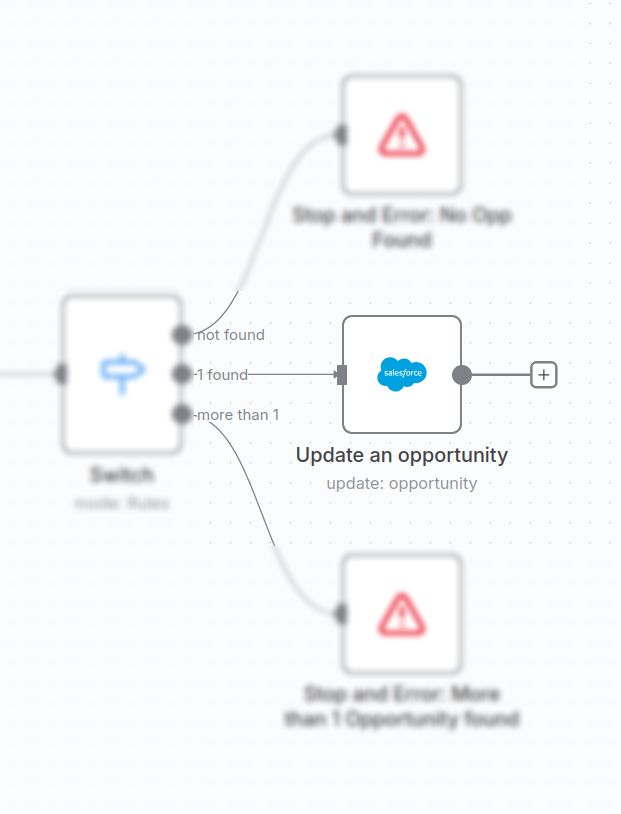
If:
- 0 → stop: “No Opportunity found!”
- >1 → stop: “More than 1 Opportunity found!”
- 1 → update it
B6. Update the Opportunity with Stripe payment details
The flow updates:
- Actual paid amount
- Gateway fee
- Net donation
- Refund amount
- Stage (Closed Won / Lost)
- Invoice + charge IDs
- Payment platform
- Receipt number
All nicely tied back to the Recurring Donation and Contact.
Quick way to edit the logic using ChatGPT
Whenever you want to tweak the logic (e.g. field mappings, frequency rules, mapping payment methods):
- Copy the expression from the relevant n8n node (the text including the curly brackets
{{and}}). - Paste it into ChatGPT with a prompt like:
This is my current n8n expression:
{
  {
    /* original expression here */
  }
}
Your updates MUST edit the expression minimally, use meaningful variable names and be readable and maintainable Javascript code. Reply with the full updated expression so that it: describe your change here.
- Paste the updated expression back into n8n.
Download & Import this n8n Workflow
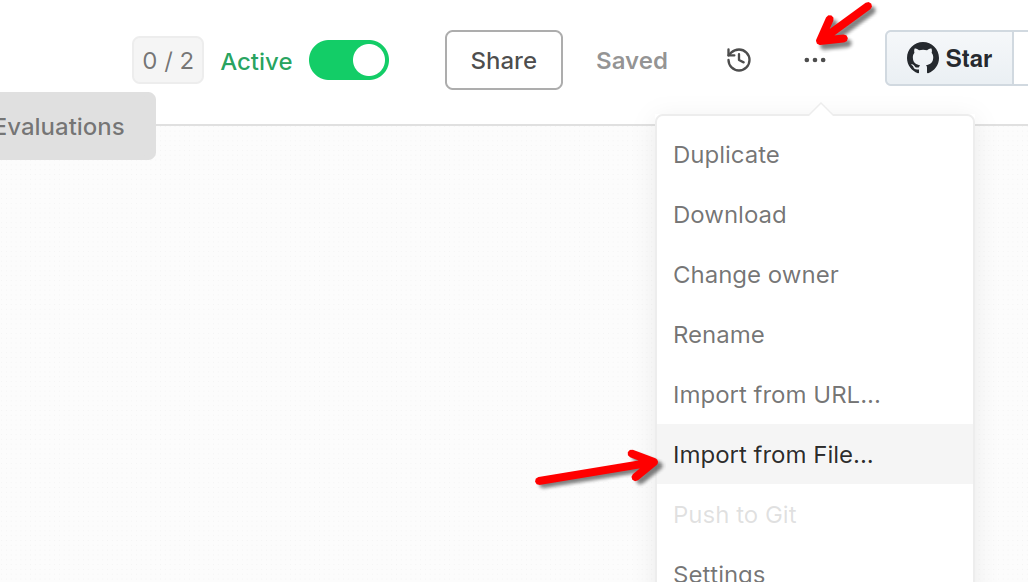
You can download the full n8n Stripe to Salesforce NPSP Sync workflow here. For each of the flows and subflows click Raw then Save Page As and save it as a .json file.
You can import the flows and subflows into your n8n account from the dot-menu on the upper right hand side:
Keep in mind, the subflow IDs will be different, so you'll need to update these to the correct subflows in the two main workflows.
Wrapping up
This automation workflow template is easy to modify for different use-cases. It handles new subscriptions, cancellations, new recurring payments, and refunds.
Hope this saves your charity time and money. Please share your story with me if you find this useful.